Facebook Ads Account Management is the process of managing and optimizing a business’s Facebook ads account. It involves creating and running various ad campaigns, monitoring their performance, and making necessary adjustments to improve their effectiveness.
Facebook Ads Account Management is a crucial aspect of online marketing that can help businesses reach their target audience and achieve their marketing goals.
Performing Facebook Ads Account Management requires a deep understanding of Facebook’s advertising platform, as well as the ability to create compelling ad copy, target the right audience, and optimize ad performance.
It also involves keeping up with the latest trends and changes in Facebook’s algorithm and advertising policies to ensure that ads are compliant and effective.
For e-commerce businesses, Facebook Ads Account Management can be an essential tool for driving sales and revenue.

By targeting specific demographics and interests, businesses can reach potential customers who are more likely to make a purchase. This can be especially useful for businesses with a large product catalog, as they can create targeted campaigns for different product categories or customer segments.
For startups and small businesses, Facebook Ads Account Management can be a cost-effective way to reach a wider audience and grow their brand.
With Facebook’s targeting options, businesses can reach potential customers based on their location, interests, and behaviors. This can help businesses gain more visibility and generate leads without breaking the bank.
Facebook Ads Account Management is a critical component of online marketing that can help businesses achieve their goals.
Whether you’re an e-commerce business looking to drive sales or a small business looking to grow your brand, performing Facebook Ads Account Management can help you reach your target audience and achieve success.
Why is Facebook Ads Account Management Important
Facebook Ads is a powerful tool that businesses can use to reach their target audience and achieve their marketing goals.
However, simply creating a Facebook Ads account and running campaigns is not enough. Effective Facebook Ads account management is critical to ensuring that businesses get the most out of their advertising budget and achieve their desired results.
One key reason why Facebook Ads account management is important is that it allows businesses to optimize their campaigns for maximum effectiveness. A skilled account manager can analyze campaign data and make adjustments to targeting, ad creative, and other variables to ensure that ads are reaching the right people and producing the desired results.
Without this level of management, businesses may be wasting money on ineffective campaigns that fail to produce results.
Another reason why Facebook Ads account management is important is that it can help businesses stay up-to-date with the latest trends and best practices in Facebook advertising. The Facebook Ads platform is constantly evolving, with new features and tools being added regularly.
A knowledgeable account manager can help businesses stay on top of these changes and take advantage of new opportunities to reach and engage their target audience.
For e-commerce businesses, Facebook Ads account management is particularly important.
The reason why Facebook Ads account management is important
- With the right management, businesses can use Facebook Ads to drive traffic to their website, generate leads, and increase sales.
- An experienced account manager can help e-commerce businesses optimize their campaigns for maximum conversion rates, ensuring that they are getting the best possible return on their advertising investment.
- For startups and small businesses, Facebook Ads account management can be especially valuable. These businesses often have limited budgets and resources, and may not have the expertise or experience needed to run effective Facebook Ads campaigns on their own.
- By working with an experienced account manager, startups and small businesses can get the help they need to create and manage effective campaigns that drive results.
- Effective Facebook Ads account management is essential for businesses that want to get the most out of their advertising investment.
Whether you are an e-commerce business looking to boost sales, a startup or small business in need of expert guidance, or simply looking to optimize your Facebook Ads campaigns for maximum effectiveness, a skilled account manager can help you achieve your goals and grow your business.
Performing a Facebook Ads Account Management Client Brief
Understanding the Client’s Business Goals
As a Facebook Ads Account Manager, one of the most important aspects of your job is to understand your client’s business goals. Without a clear understanding of what your client is trying to achieve, it’s impossible to create effective Facebook ad campaigns that will deliver results.
To begin with, you need to understand your client’s overall business objectives.
- What are they trying to achieve in the long term?
- Are they looking to increase sales, generate leads, build brand awareness, or something else entirely
Once you have a clear understanding of these objectives, you can start to break them down into more specific goals.
For example, if your client is an e-commerce business, they may want to increase their sales by a certain percentage over the next quarter.
In this case,
- your goal as an Ads Account Manager would be to create campaigns that are optimized for conversions and have a strong focus on driving sales.
- Similarly, if your client is a startup or small business, they may be more focused on building their brand and increasing their online presence.
In this case,
- your goal would be to create campaigns that are optimized for engagement and have a strong focus on building brand awareness.
- It’s also important to understand your client’s target audience.
- Who are they trying to reach with their Facebook ads?
- What are their interests, demographics, and behaviors?
By understanding your client’s target audience, you can create campaigns that are tailored to their needs and interests.
Ultimately, your goal as a Facebook Ads Account Manager is to create campaigns that deliver results for your client.
By understanding their business goals, target audience, and overall objectives, you can create campaigns that are optimized for success and help your client achieve their desired outcomes.
Analyzing the Client’s Target Audience

One of the most critical steps in creating a successful Facebook Ads campaign is identifying and analyzing the client’s target audience. Without a clear understanding of who the client is trying to reach, it is impossible to create effective ads that will resonate with the intended audience.
When analyzing the client’s target audience, it is important to consider several factors, including demographic data, psychographic data, and behavioral data.
Demographic data includes information such as:
- Age,
- gender,
- location,
- income level,
while psychographic data includes information on the client’s target audience’s values, interests, and lifestyle.
Behavioral data
Behavioral data includes information such as purchase behavior, search history, and social media activity.
Once you have gathered and analyzed this data, you can use it to create detailed buyer personas that represent the client’s ideal customer.
These personas should include information on the customer’s pain points, goals, and motivations, as well as the channels they use to consume information and make purchasing decisions.
In addition to creating buyer personas, it is also important to segment the client’s target audience based on their level of engagement with the brand.
For example, you may want to create separate campaigns for new customers, repeat customers, and loyal brand advocates.
By taking the time to analyze the client’s target audience and create detailed buyer personas, you can ensure that your Facebook Ads campaigns are highly targeted and effective.
This will not only help you achieve better results for your client, but it will also help to build a stronger relationship with the client by demonstrating your commitment to their success.
Analyzing the client’s target audience is a critical step in Facebook Ads account management for businesses of all sizes.
By gathering and analyzing demographic, psychographic, and behavioral data, you can create detailed buyer personas and segment the target audience to ensure your ads are highly targeted and effective. This will help to achieve better results for your client and build a stronger relationship with them in the process.
Setting Up the Facebook Ads Account
One of the first steps in Facebook Ads Account Management is setting up the Facebook Ads account. This process is relatively straightforward, but it is important to follow the steps carefully to ensure that the account is set up correctly and ready to start running ads.
To set up a Facebook Ads account, follow these steps:
Step 1: Create a Facebook Business Manager Account
The first step in setting up a Facebook Ads account is to create a Facebook Business Manager account. This account is necessary for managing Facebook Ads accounts and pages, and it allows you to grant access to other users or agencies who will be working on the account.
To create a Facebook Business Manager account, go to business.facebook.com and click the “Create Account” button. Follow the prompts to enter your business information and set up your account.
Step 2: Create a Facebook Ads Account
Once you have created your Facebook Business Manager account, you can create a Facebook Ads account. To do this, go to business.facebook.com and click on the “Ads Manager” tab. Then click the “Create” button and select “Ad Account.”
Follow the prompts to enter your billing information and set up your account. It is important to select the correct currency and time zone for your account, as these settings cannot be changed once the account is created.
Step 3: Add Payment Method
After creating the Ads account, add a payment method to your account. Facebook offers a variety of payment options, including credit cards, PayPal, and bank transfers.
Step 4: Set Up Ad Campaigns
Once your Facebook Ads account is set up and your payment method is added, you can start creating ad campaigns. This involves selecting your campaign objective, choosing your target audience, creating your ad creatives, and setting your budget and ad schedule.
Overall, setting up a Facebook Ads account is a simple process that can be completed in a few easy steps. By following these steps carefully and ensuring that your account is set up correctly, you can start running effective ad campaigns and driving results for your business.
Creating a Facebook Ads Campaign
Facebook Ads campaigns are a great way to reach your target audience and boost your business. Whether you are an e-commerce business, a startup, or a small business, creating a Facebook Ads campaign is an effective way to promote your brand, products, or services, and increase your website traffic.
successful Facebook Ads campaign
Here are some steps to create a successful Facebook Ads campaign:
1. Identify your objectives: Before you start creating your Facebook Ads campaign, you need to identify your objectives. What are you trying to achieve? Do you want to increase your website traffic, generate leads, or boost your sales? Having clear objectives will help you create an effective Facebook Ads campaign.
2. Define your target audience: Once you have identified your objectives, it’s important to define your target audience.
- Who are you trying to reach?
- What are their interests, demographics, and behaviors?
Use Facebook Audience Insights to get insights about your target audience and create a custom audience based on your objectives.
3. Choose your ad format: Facebook offers different ad formats, including image ads, video ads, carousel ads, and more. Choose the ad format that best fits your objectives and target audience.
4. Create your ad: Once you have chosen your ad format, it’s time to create your ad. Use eye-catching visuals, compelling copy, and a clear call to action to create an effective ad. Make sure to follow Facebook’s ad policies and guidelines.
5. Set your budget and bidding strategy: Determine how much you are willing to spend on your Facebook Ads campaign and choose your bidding strategy. Facebook offers different bidding strategies, including cost-per-click (CPC), cost-per-impression (CPM), and cost-per-action (CPA).
6. Launch your campaign and monitor your results: Once your campaign is launched, monitor your results and make adjustments as needed. Use Facebook Ads Manager to track your ads’ performance and optimize your campaign to achieve your objectives.
Ads campaign
Creating a Facebook Ads campaign can be a powerful tool to boost your business. By defining your objectives, identifying your target audience, choosing the right ad format, creating a compelling ad, setting your budget and bidding strategy, and monitoring your results, you can create a successful Facebook Ads campaign that drives website traffic, generates leads, and increases your sales.
Monitoring and Optimizing the Facebook Ads Campaign
Once you have launched your Facebook ads campaign, it is essential to monitor and optimize it regularly to maximize its potential. Monitoring the campaign will help you identify any issues or areas that need improvement, while optimization will help you fine-tune your campaign to achieve your goals.
Here are a few tips to help you monitor and optimize your Facebook ads campaign:
1. Track Your Metrics
Tracking your metrics is crucial to understanding the performance of your Facebook ads campaign. Some of the essential metrics to track include reach, engagement, click-through rate (CTR), conversion rate, and cost per acquisition (CPA).
By monitoring these metrics, you can identify which ad sets and ads are performing well and which ones need improvement.
2. Set Up Automated Rules
Setting up automated rules can help you monitor your Facebook ads campaign more efficiently. You can set rules to automatically adjust your budget, bid, or schedule based on specific metrics or conditions. This will allow you to optimize your campaign in real-time without the need for manual intervention.
3. Test Different Ad Formats and Creatives
Testing different ad formats and creatives can help you identify which ones perform best for your target audience. You can test different ad formats such as video, carousel, or slideshow, as well as different creatives such as images, videos, or graphics. By testing different formats and creatives, you can optimize your campaign to achieve better results.
4. Utilize A/B Testing
A/B testing is an effective way to optimize your Facebook ads campaign. You can test different elements of your ads such as the headline, image, or call-to-action to identify which ones perform best. By optimizing these elements, you can improve the overall performance of your campaign.
5. Monitor Your Competitors
Monitoring your competitors can help you identify new opportunities and stay ahead of the competition. You can use Facebook’s Ad Library to monitor your competitors’ ads and identify which ones are performing well. This will give you valuable insights into their strategies and help you optimize your campaign accordingly.
Monitoring and optimizing your Facebook ads campaign is essential to achieving your goals.
By tracking your metrics,
- Setting up automated rules,
- Testing different ad formats and creatives,
- Utilizing A/B testing,
- Monitoring your competitors,
you can optimize your campaign to achieve better results.
Facebook Ads Account Management for E-commerce Businesses
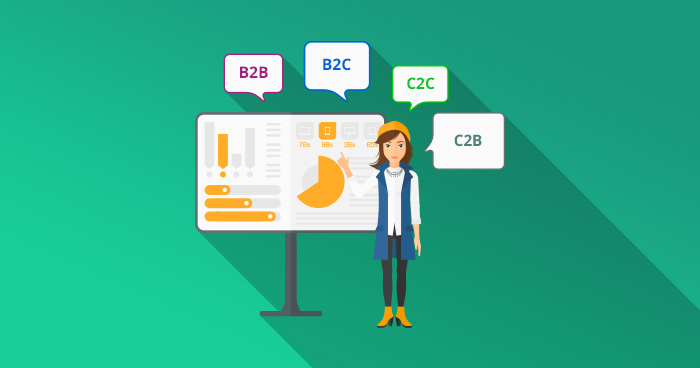
The E-commerce business model is rapidly gaining popularity in today’s digital age, and it has become an essential aspect of the modern marketplace.
With the increasing demand for online shopping and the growth of social media platforms, E-commerce has become an attractive and lucrative option for businesses of all sizes.
E-commerce businesses operate in a virtual environment, selling products or services online through a website or social media platforms.
This business model eliminates the need for a physical storefront, reducing overhead costs and increasing profit margins.
However, E-commerce businesses still require a strategic marketing plan to attract and retain customers, and that’s where Facebook Ads Account Management comes in.
Understanding the E-commerce Business Model
Performing a Facebook Ads Account Management Client Brief for E-commerce businesses requires:
- A deep understanding of the business’s objectives, target audience, and marketing strategies.
- The Facebook Ads Account Manager needs to develop a comprehensive plan that includes ad campaigns, ad types, ad formats, and targeting options that resonate with the target audience.
- Facebook Ads Account Management for E-commerce businesses is focused on driving traffic to the website, increasing conversions, and boosting sales.
- The Ads Account Manager must analyze the audience’s behavior, demographics, and interests to optimize ad campaigns and ensure maximum ROI.
Startups and small businesses can also benefit from Facebook Ads Account Management. Facebook Ads are an affordable and effective way for small businesses to reach their target audience and compete with larger businesses.
The Ads Account Manager can help startups and small businesses develop a strong brand identity, build customer relationships, and increase sales.
Understanding the E-commerce business model is crucial for effective Facebook Ads Account Management. The Ads Account Manager needs to have a deep understanding of the business’s objectives, target audience, and marketing strategies.
By developing a comprehensive plan that resonates with the audience, the Ads Account Manager can help E-commerce businesses, startups, and small businesses achieve their marketing goals and boost sales.
Analyzing E-commerce Products and Services
One of the key elements to creating a successful Facebook Ads campaign for an e-commerce business is analyzing the products and services that the business offers. This is important because it helps you determine the target audience for the ads, as well as the type of ad that will be most effective in promoting the products or services.
When analyzing e-commerce products and services, it is important to start by looking at the target audience.
- Who is the ideal customer for the business?
- What are their interests, needs, and pain points?
Understanding the target audience will help you create ads that are targeted and effective.
Next, it is important to analyze the products and services that the business offers.
- What sets them apart from competitors?
- What are the unique features and benefits of each product or service?
This information will help you create ad copy that highlights the unique selling points of each product or service.
It is also important to analyze the pricing of the products or services.
- Are they priced competitively?
- Are there any promotions or discounts that can be offered to attract customers?
This information will help you create ads that focus on the value proposition of the products or services.
When analyzing e-commerce products and services, it is also important to consider the customer journey.
- What is the typical customer journey for the business?
- How can Facebook Ads be used to target customers at each stage of the journey, from awareness to purchase?
Important to analyze the competition
- What are the competitors doing in terms of Facebook Ads?
- What type of ads are they running?
- How can the business differentiate itself from the competition in its Facebook Ads?
By analyzing e-commerce products and services, you can create targeted, effective Facebook Ads that attract and convert customers. This is an essential part of Facebook Ads account management for e-commerce businesses, startups, and small businesses.
Setting Up the Facebook Ads Account for E-commerce

In today’s digital age, e-commerce businesses are thriving, and Facebook Ads are one of the most effective ways to reach potential customers. However, setting up a Facebook Ads account for e-commerce can be a daunting task. In this subchapter, we will guide you on how to set up your Facebook Ads account for e-commerce businesses.
Step 1: Create a Facebook Ads Account
The first step is to create a Facebook Ads account. To do this, go to Facebook Ads Manager and click on the “Create Account” button. Fill in your business details and follow the prompts to create your account.
Step 2: Set Up Your Payment Method
Once your account is created, the next step is to set up your payment method. Facebook Ads offers several payment options, including credit card, PayPal, and direct debit. Choose the payment method that suits your business needs and enter your payment details.
Step 3: Create Your Ad Account
After setting up your payment method, the next step is to create your ad account. Click on the “Ad Account Settings” button and choose the “Create Ad Account” option. Fill in your business details, including your business name, time zone, and currency. Once done, click on the “Create Ad Account” button.
Step 4: Install Facebook Pixel
Facebook Pixel is a piece of code that allows you to track user behavior on your website. It helps you to optimize your ads for conversions and retarget users who have previously visited your website. To install Facebook Pixel, go to the “Pixels” tab in your ad account and follow the prompts to install the code on your website.
Step 5: Create Your First Ad Campaign
The final step is to create your first ad campaign. Choose the objective of your campaign, such as traffic, conversions, or engagement. Set your budget, targeting options, ad format, and creative, and launch your campaign.
Setting up a Facebook Ads account for e-commerce businesses requires careful planning and execution. By following the steps outlined in this subchapter, you can create a successful Facebook Ads account that generates high-quality traffic and conversions for your e-commerce business.
Creating a Facebook Ads Campaign for E-commerce
Facebook is the world’s largest social media platform with over 2 billion active users, making it a powerful tool for businesses to reach their target audience. With its vast reach, Facebook Ads is an ideal platform for e-commerce businesses to advertise their products and services.
Creating a Facebook Ads campaign can be a daunting task, but with the right strategy and approach, it can be a game-changer for your business. In this subchapter, we will discuss the steps you need to follow to create a successful Facebook Ads campaign for your e-commerce business.
1. Define your campaign objectives
The first step in creating a Facebook Ads campaign is to define your campaign objectives. What do you want to achieve with your campaign? Is it to increase sales, generate leads, or build brand awareness? Defining your campaign objectives will help you tailor your ads and target the right audience.
2. Identify your target audience
The success of your Facebook Ads campaign depends on your ability to reach the right audience. You need to identify your target audience based on demographics, interests, behaviors, and location. Facebook’s targeting options allow you to reach a specific group of people who are most likely to be interested in your products or services.
3. Create compelling ad creatives
Your ad creatives are the most critical element of your Facebook Ads campaign. You need to create compelling ad creatives that grab your audience’s attention and encourage them to take action. Use high-quality images and videos, catchy headlines, and clear calls to action to make your ads stand out.
4. Optimize your landing pages
Your landing pages play a crucial role in converting your Facebook Ads traffic into customers. You need to create landing pages that are optimized for conversions. Use clear and concise messaging, high-quality images or videos, and a strong call-to-action to increase your chances of converting your Facebook Ads traffic.
5. Monitor and optimize your campaign
Once your campaign is live, you need to monitor its performance and make adjustments to optimize its performance. Use Facebook Ads Manager to track your ad spend, clicks, conversions, and other metrics. Use the data to identify areas of improvement and make adjustments to your campaign to improve its performance.
Creating a Facebook Ads campaign for your e-commerce business can be a powerful tool for reaching your target audience and driving sales. By following the steps outlined in this subchapter, you can create a successful Facebook Ads campaign that delivers results for your business.
Monitoring and Optimizing the Facebook Ads Campaign for E-commerce

E-commerce businesses today rely heavily on Facebook advertising to reach their target audience and drive sales. However, simply creating a Facebook ad campaign is not enough to guarantee success. Regular monitoring and optimization of the campaign are essential to ensure that the ads are reaching the right people and generating the desired results.
Here are some key steps to monitoring and optimizing a Facebook Ads campaign for e-commerce:
1. Set clear goals and KPIs: Before launching a Facebook ad campaign, it is important to set clear goals and key performance indicators (KPIs) to measure success. These could include metrics such as click-through rates, conversion rates, return on ad spend, and cost per acquisition.
2. Monitor performance regularly: Once the campaign is live, it is important to monitor its performance regularly. This includes tracking KPIs, analyzing ad engagement, and identifying any areas for improvement.
3. Adjust targeting and ad creative: Based on the performance data, it may be necessary to adjust the targeting and ad creative to better reach the desired audience and generate more conversions. This could involve tweaking the audience demographics or interests, changing the ad copy or imagery, or testing different ad formats.
4. Test and optimize: A/B testing is a valuable tool for optimizing Facebook ad campaigns. By testing different variables such as ad copy, imagery, and targeting, businesses can identify which variations perform best and optimize their campaigns accordingly.
5. Continuously refine and improve: E-commerce businesses should view Facebook ad campaigns as an ongoing process of refinement and improvement. By continuously monitoring and optimizing campaigns, businesses can ensure that their ads are always reaching the right people and generating the desired results.
Monitoring and optimizing
Monitoring and optimizing a Facebook ad campaign is essential for e-commerce businesses looking to drive sales and reach their target audience.
By setting clear goals and KPIs, monitoring performance regularly, adjusting targeting and ad creative, testing and optimizing, and continuously refining and improving, businesses can ensure that their Facebook ad campaigns are always effective and generating a positive return on investment.
We offer a range of services to give your business an online presence, allowing you to focus your time and energy on the rest of your company, contact us at MySalesScript.com.