What is a webinar?
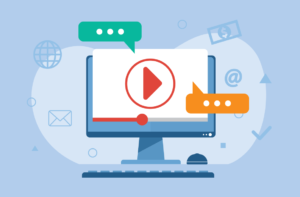
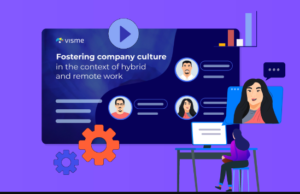
Webinars (web seminars) are video presentations, workshops, or online lectures, usually via webinar software. These online events are usually interactive and business-related, allowing you to share your knowledge with anyone.
Web presentations and conferences are a highly interactive form of marketing and can be used as a tactic to build relationships or establish authority. You can even use webinars for internal team meetings if you’re part of a remote team. But the possibilities are endless.
Planning a webinar is more straightforward than organizing a seminar or lecture in real life. It is mainly because you don’t need a large venue to host many attendees. You can invite people from all over the world to meet in real-time, and if they can’t attend life, you can record the webinar and send them the recording later.
Meaningful webinars don’t just happen. Impressive facts and figures are no longer enough. These days, you have to be strategic to create webinar presentations that deliver. So before we get into the details of this post, I recommend you consider the following six aspects:
1. Be clear about your webinar goal
As with all business activities, you must set a clear goal for your webinars. Ask yourself: What is the primary purpose of this webinar? What action do you want your target market to take at the end of your presentation?
2. Do your research
I can’t stress enough how important it is to tailor your content to your audience’s requirements. The big difference between an ideal webinar and a bad one is how the information you share solves your audience’s big questions. Numerous social media platforms, forums, and blogs you can scour to ensure your webinar presentation covers what potential customers want to know.
3. Use only high-quality visuals
People are more interested in visual content; therefore, images, graphics, and videos are essential in webinars. However, pay attention to the quality of the visuals. Keep in mind that your audience might be viewing your presentation from a laptop, an iPad, or a cell phone, so make sure your visuals are of the highest quality.
4. Highlight your webinar slides
The design of your webinar presentation is also crucial to a well-rounded presentation. Unless you’re Elon Musk, boring PowerPoint slides are unlikely to convince anyone that you’re serious about your offering. Instead, make sure your presentation fits the brand and builds trust in your company.
If PowerPoint design isn’t your strong suit, hire a presentation designer. Many companies outsource the design of their presentations, and it doesn’t cost as much as you think.
5. Present your data
Take it a step further and conduct a survey. Start by sending an online survey to your customers or creating a trend report about your market. Any insights you get will only add to your webinar presentation. And you’ll position your brand as an authority in your niche.
6. Cite your sources
And if you’re using second-hand information, always cite your sources! Just because we discover something on the internet doesn’t mean it doesn’t belong to anyone. This practice also helps verify where the information came from and increases your credibility as a speaker.
What is the purpose of a webinar?
The objective of a webinar is up to the organizer, but the options they can choose from are broad. The tools you use for your webinar need to be flexible enough to give you features to keep your audience engaged, regardless of the topic. And MySalesScript.com has the expertise to help you launch a professional webinar as per your needs and audience.
Regardless of what industry you’re in, below are some of how you can use a webinar.
Showcase your latest product
It doesn’t make much sense to expect all your customers to book a flight to your conference every time you launch a new product. However, asking them to give up an hour of their time online to showcase your latest creation is much easier to accomplish.
Product webinars allow you to gather everyone – from your customers to your brand representatives – in one place. Not only are they there to inform attendees of the latest updates, but also to answer questions.
By discussing with your audience and answering every question, you can reassure your existing customers that they’re in good hands while also getting new customers to buy.
Position yourself as the expert
When you host a webinar on a specific topic – whether website programming or mental health – the presenter is put on a virtual pedestal, while some of the attendees may choose to attend for support, many of your attendees are there primarily to hear what you have to say as a thought leader.
Even if your webinar is free, they will give you their contact information and take the time to hear what you have to say. Attendees trust you to deliver valuable, unique, and exciting information.
Engage your audience
Posts on social media will always remain, and it’s hard to break away from advertising. But live webinars promise value above traditional marketing tactics, and that value is much more unique. Unlike social media marketing or banner ads, webinars have a different power over your audience: the power of scarcity.
Arriving late, leaving early, or forgetting altogether to attend your live webinar means your viewer – prospect, lead, or customer – is missing out. The other attendees know something they don’t, and the person who missed out will feel it.
Even if you select to record your webinar and publish it later, it’s like your viewer choosing to watch a viral series on Netflix months after it airs. They’ll be up to date, but not until everyone else is. They also won’t have the opportunity to ask questions or respond to those of others, so they’ll be in the dark when it comes to interaction.
Webinars are meant to be lively and engaging events. Missing a webinar can mean more than just missing a video.
Generate new leads
Without leads, there is no business. Marketers can generate leads in various ways, but generating high-quality leads is something marketers often struggle with.
Webinars that focus on topics relevant to your business are a great way to generate the high-quality leads marketers are looking for. Here’s why.
The people who see you promoting your webinar will likely go to your landing page and sign up for the event using your form. These people let you know they are interested in what you say.
Some people may accidentally click on a link or download a file and get added to your list of leads, but those who register and attend your webinar are about as high quality as you can get.
What functions can a webinar have?
The purpose of a webinar is up to the organizer, but the options they can choose from are broad. The tools you use for your webinar need to be flexible enough to give you features to keep your audience engaged, regardless of the topic.
Below are some of the features that most webinar tools offer. Learn how to take advantage of these features when hosting your webinar.
Text Chat
Engaging a large or small audience can be done in several ways, but one of the easiest methods is to enable text chat.
This way, your audience can ask questions or answer questions you’ve asked. When you’re not in the same room, it’s challenging to grab the presenter’s attention with a question or answer, but text chat in webinar tools makes it possible.
And just like a traditional meeting, answering questions from your audience builds trust and authority.
Slide files
Designing an engaging webinar can be tricky. If your webinar is educational one way or another, consider having a slide deck ready to present to your audience as you talk through it.
With a slide deck, you can give your audience a clear plan, encourage them to follow along, and give them something to take away.
Record
Typically, webinars are held live, allowing the audience to ask the presenter questions and get answers in real-time.
A recorded webinar is less engaging, but the information presented or discussed can be viewed by those who missed the live version, reviewed later by your audience, or recorded with a guest who can’t make the scheduled appointment. They can also be held more than once if you have a recurring theme.
Screen sharing
If your topic requires a demonstration, the screen-sharing features in webinar tools are handy. Viewers can see what actions you perform on your screen and join themselves if needed.
Screen sharing can also be helpful beyond demos. If you’re unconventionally presenting a video or presentation, you can use screen sharing to show your audience what you’re watching. If you’re demonstrating more than one processor using multiple tools or files, sharing the screen with viewers is often more effective than screenshots.
Whiteboard
When you want to describe a complex topic live, you and the other presenters can use the whiteboard to take notes, illustrate ideas with drawings, or draw arrows to demonstrate a process.
Like in a classroom, the whiteboard feature that some webinar software offers makes your audience feel like they’re right there, giving them a better idea of your topic.
Polls and surveys
Answering questions in text chat can get chaotic, especially if the audience is more extensive.
If you offer polls during your webinar, you can give your audience specific options to choose from and aggregate the results in one place. Polls provide an easy way for your audience to engage with your presentation and questions in a quick and organized way.
Webinar Challenges
The benefits of a webinar are numerous, but they are not without their challenges.
Below are some of the most common challenges webinar hosts face and how you can solve them before they even occur.
Technical issues
Webinars have unique challenges, but technical issues are common to all industries, activities, and people worldwide.
If you’re hosting a webinar, the biggest challenge you need to prepare for is technical difficulties. There’s no end to the number of issues you’ll face, from internet connectivity to operating software.
Solution
Prepare in advance by doing a few checks. First, check your environment: internet stability, camera positioning, lighting, and sound check should be tested at least a day before your webinar starts.
Second, check your technology: the usability of your webinar tool, chat options, polling features, screen sharing, and slide files should be checked at least one day before the event and again one hour before the broadcast.
Finally, check your audience. Make sure your attendees understand all the features they will be asked to use in advance.
Advertise
If a tree falls in woodland and nobody is around to hear it, does it sound? If a webinar is broadcast and no one attends, did you host a webinar? The answer to the second question is clearly “no.”
Preparing a webinar means nothing if no one sees or hears what you say. Much of the success of your webinar will depend on advertising, just like the success of any event.
If you advertise on the wrong channels at the wrong time, you won’t get quality leads. You may not even reach an audience.
Solution
Be sure to promote your webinar.
There are several methods, depending on the topic and the organizer. If the webinar is a general thought leadership topic, you can reach the desired audience with paid banner ads.
However, email campaigns are better if you’re broadcasting a live demo of your latest product launch. As for timing, you should start about four weeks before the broadcast – not too far away from the event to be irrelevant, but not too close, so people feel like they’re too late.
There’s no reason not to advertise on social media: it’s free, easy, and a great way to reach a larger audience. The more reach your landing page has, the more likely a good lead will materialize. And no matter what topic you’re speaking on, share your event on social media.
Some tips and hints for webinars
- Try to include many different tools (chat, poll, quiz, etc.) to make the webinar more interactive and varied. Those who feel included are always more engaged than a purely passive listener!
- Think about how you want to interact with participants. For instance, how and when can they ask questions (chatbox, requests to speak)? Discuss these rules with the audience right at the beginning (and in between if needed).
- It’s always a great idea to prepare a script or notes. Even if you are a true expert in the field, you may have a train of thought. A script can also assist you in managing your time better.
- The webinar situation can be unfamiliar for lots of participants. You can help them feel a lot more comfortable by letting them understand how the webinar will proceed and addressing any technical questions they might have. Also, try to develop a relaxed atmosphere by acting like you would in a regular meeting or presentation.
- One small detail that many forget: Have a glass of water available. During lengthy presentations, this can be a lifesaver.
- The average person’s attention span is about seven minutes. You will probably need to “wake up” your audience repeatedly during the webinar. A dry tropical forest can make this even more difficult. Inject some entertainment by sprinkling in short anecdotes or funny stories. That generates attention, shows your personality, and creates a relaxed atmosphere.
- A good webinar helps attendees remember you and your content. You can encourage this with a summary. Develop a summary or recording of the webinar and send out the material to attendees after the webinar. Bonuses like this are usually well received.
- Many webinars occur at a desk, and there’s nothing wrong with that. But you might want to think about standing up during the presentation. Your posture and voice will automatically improve as a result.
- When using PowerPoint for your webinar, don’t be tempted to repeat a presentation you’ve already given in person. A webinar is entirely different than a “live” presentation and requires a different approach.
- Specific organizational questions arise with almost every webinar. It is best to address these questions at the very beginning. Participants usually want to know if the webinar will be recorded and if such a recording or other material will be available. If you plan to host webinars frequently, you can create a slide with this information and use it repeatedly.
- A well-designed webinar over and over again. Why does all this work for a one-time event?
webinars have been here for a long time, with the continuous rise of video content’s popularity in marketing, web presentations are the way to go. If you’re new to webinar marketing, read along and find out how MySalesScript.com can be of help.
MySalesScript.com has the expertise to help you launch Professional webinar presentations as per your needs and audience.
for more visit MySalesScript!